Introduction
Choosing the right hosting provider is one of the most important decisions for a Ghost website.
Unlike traditional CMS platforms, Ghost relies heavily on:
- performance
- Node.js optimization
- server stability
- email delivery
- database performance
The best Ghost hosting depends on:
- your technical level
- traffic
- budget
- newsletter needs
- memberships
- scalability
Some users prefer:
- fully managed hosting
Others prefer:
- VPS self-hosting with Docker and Nginx
Both approaches can work extremely well.
What Makes Good Ghost Hosting?
Before choosing a provider, focus on these criteria:
- Performance
- Node.js support
- Backups
- Email/newsletter support
- Scalability
- Ease of deployment
- Server management
- Pricing
For Ghost specifically, speed and stability matter more than plugin ecosystems.
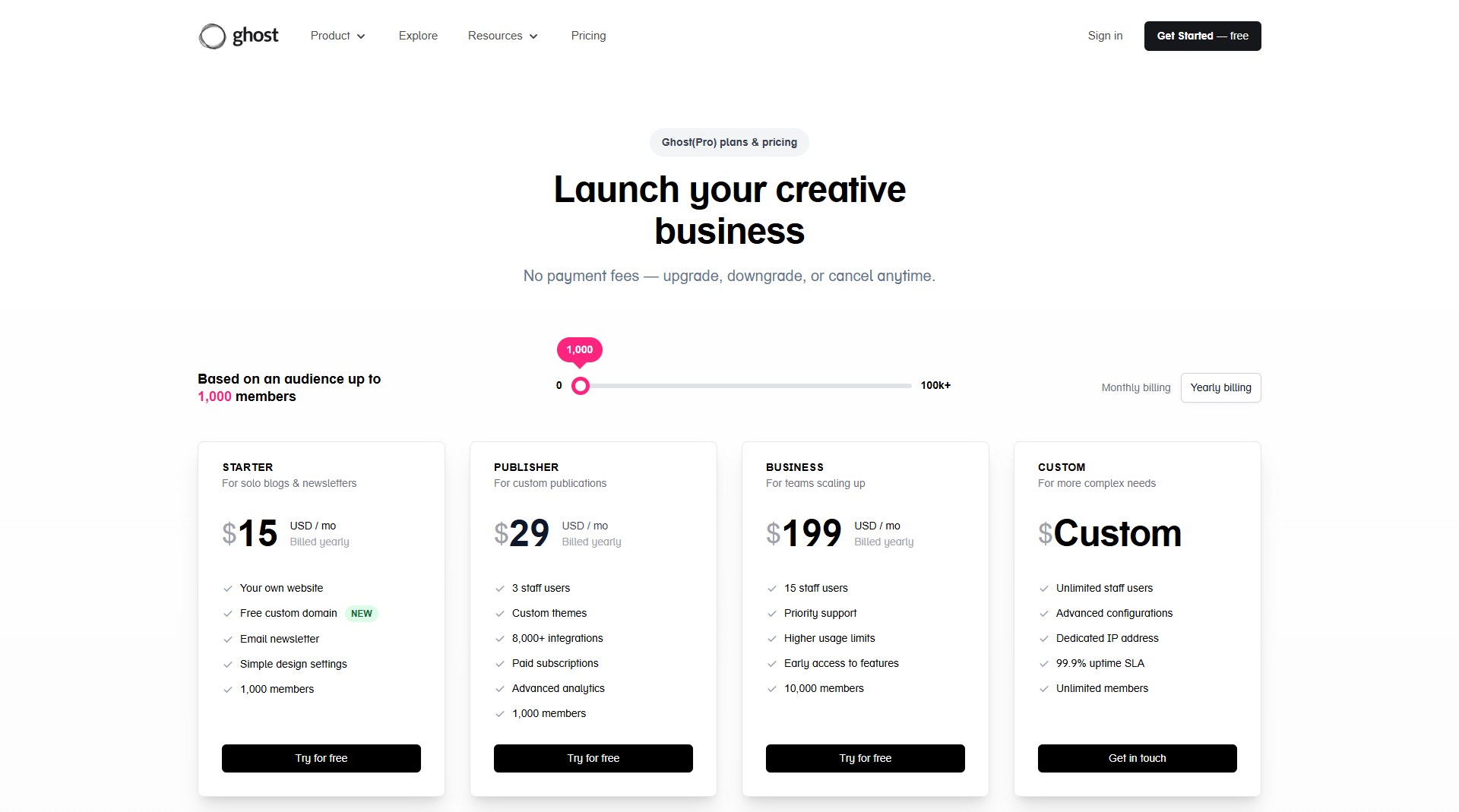
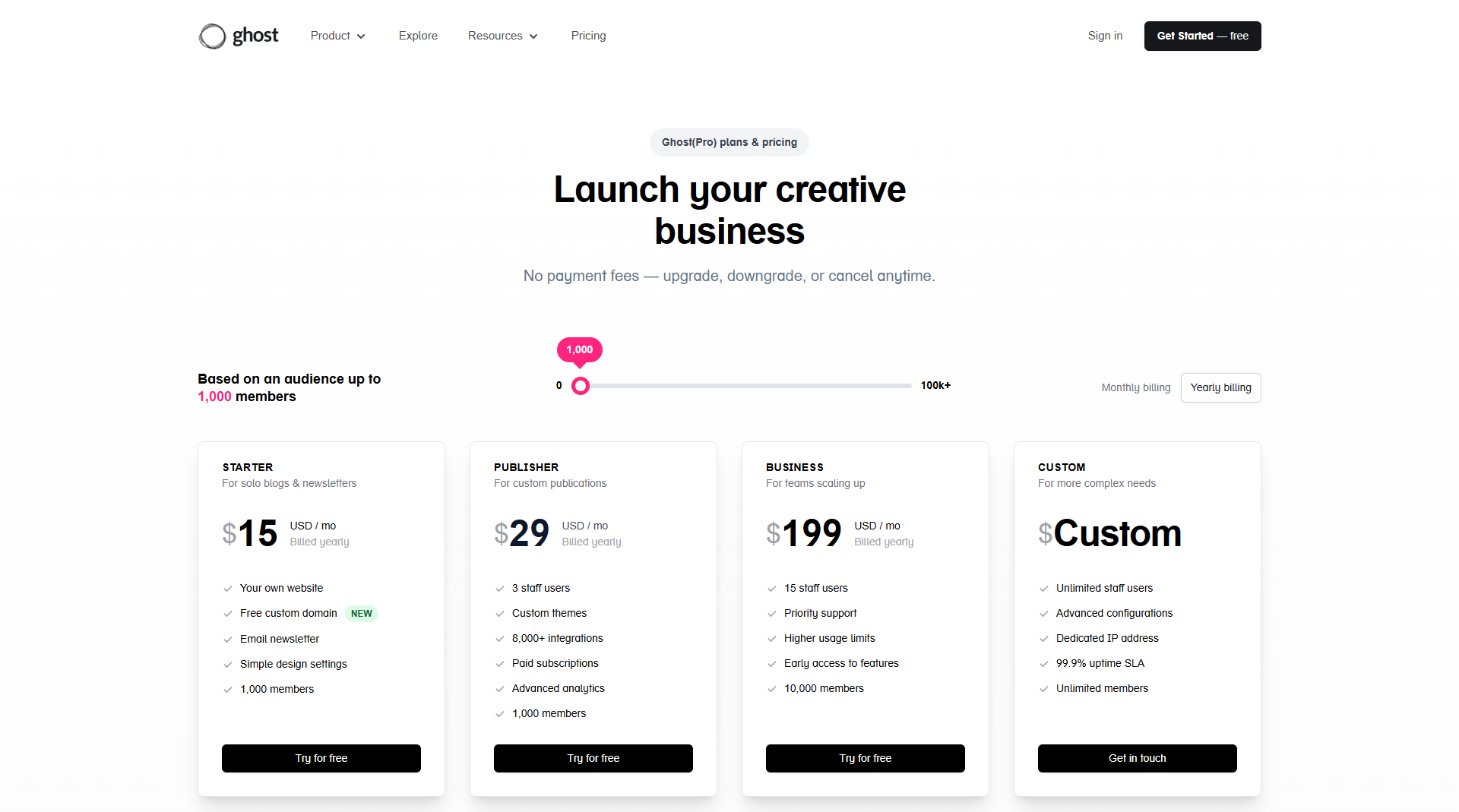
Best Overall — Ghost(Pro)
Best For:
Creators, newsletters, memberships, and non-technical users
Ghost(Pro) is the official managed hosting platform from the Ghost team.
Advantages:
- automatic updates
- built-in CDN
- email newsletters
- managed infrastructure
- optimized performance
- security handled for you
This is the easiest and most reliable option if you want to focus entirely on content and publishing.
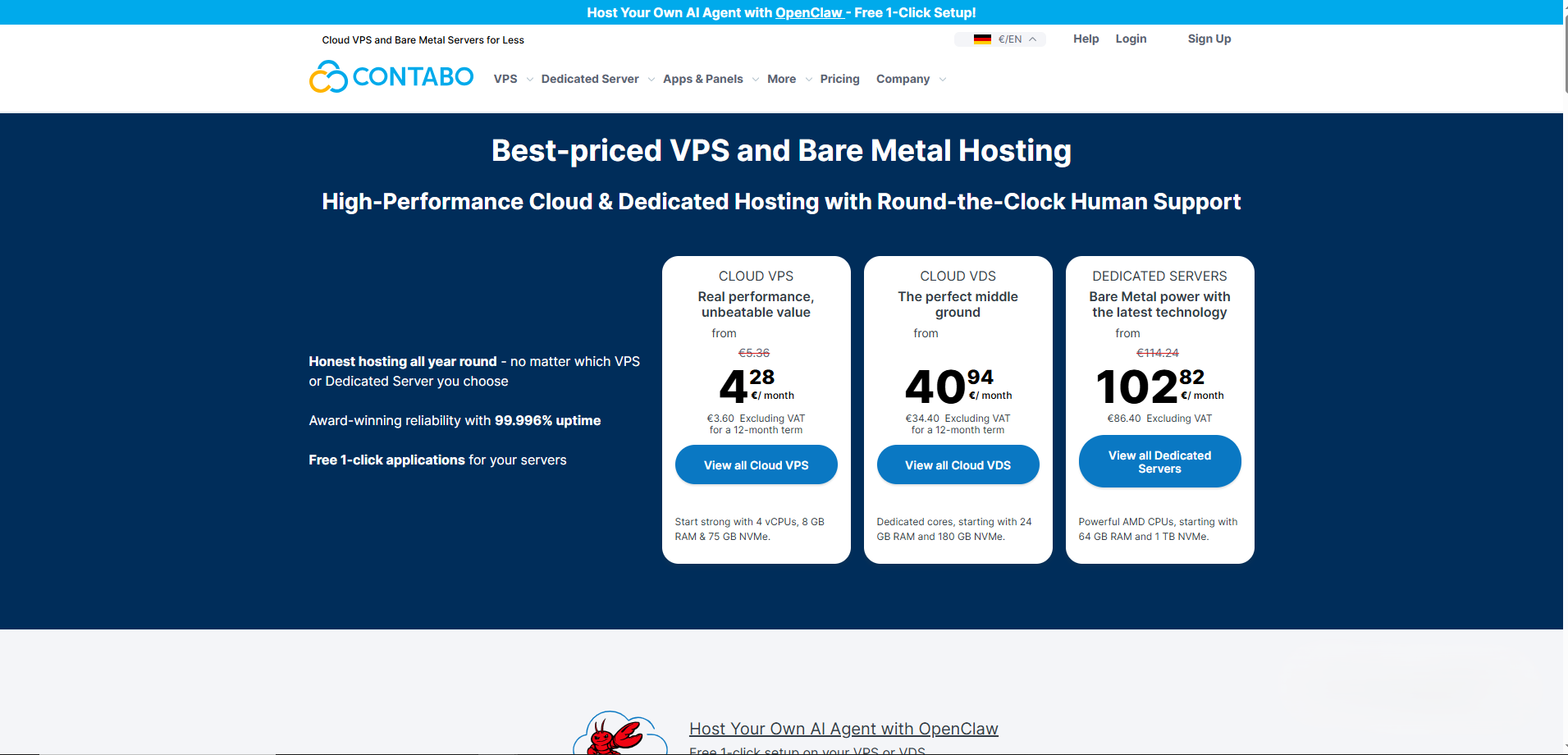
Best VPS Hosting for Ghost — Contabo
Best For:
Affordable VPS hosting and multiple Ghost websites
If you want:
- full control
- low hosting costs
- Docker deployments
- multiple Ghost instances
- scalable infrastructure
then a VPS setup is one of the best choices.
I personally use a Contabo VPS to manage multiple Ghost websites and Ghost themes using:
- Docker
- Nginx
- reverse proxies
- custom deployments
One thing I like about Contabo is the amount of resources you get for the price:
- large storage
- good RAM allocations
- multiple websites on one server
This works especially well for:
- Ghost marketplaces
- magazine websites
- multiple client projects
- development environments
Real Example From My Setup
My Ghost infrastructure currently uses:
- Docker containers
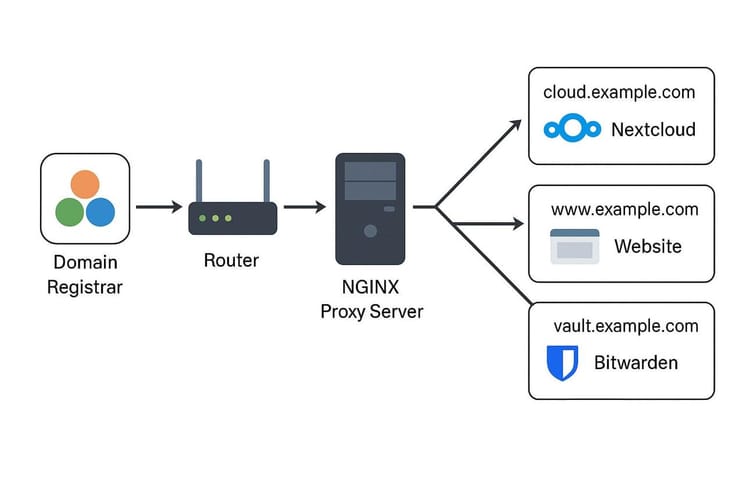
- Nginx reverse proxy
- multiple Ghost instances
- automated backups
- custom Ghost themes
This setup allows me to:
- deploy new websites quickly
- manage multiple projects
- isolate websites using containers
- simplify updates and backups

Example Docker Compose Setup
version: '3.8'

services:

  ghost:
    image: YOUR_IMAGE:latest
    container_name: GHOST_CONTAINER_NAME

    restart: always

    ports:
      - "HOST_PORT:2368"

    environment:
      security__staffDeviceVerification: "false"

      url: https://YOUR_DOMAIN.com

      database__client: mysql
      database__connection__host: mysql
      database__connection__user: root
      database__connection__password: YOUR_DB_PASSWORD
      database__connection__database: YOUR_DB_NAME

      NODE_ENV: production

    volumes:
      - GHOST_CONTENT_VOLUME:/var/lib/ghost/content

    depends_on:
      mysql:
        condition: service_healthy

    networks:
      - PROJECT_NETWORK

    healthcheck:
      test: ["CMD-SHELL", "wget -q --spider http://localhost:2368 || exit 1"]
      interval: 30s
      timeout: 10s
      retries: 5
      start_period: 120s


  mysql:
    image: mysql:8.0

    container_name: MYSQL_CONTAINER_NAME

    restart: always

    environment:
      MYSQL_ROOT_PASSWORD: YOUR_DB_PASSWORD
      MYSQL_DATABASE: YOUR_DB_NAME

    volumes:
      - MYSQL_VOLUME:/var/lib/mysql

    networks:
      - PROJECT_NETWORK

    command: --default-authentication-plugin=mysql_native_password

    healthcheck:
      test: ["CMD", "mysqladmin", "ping", "-h", "localhost", "-u", "root", "-pYOUR_DB_PASSWORD"]
      interval: 10s
      timeout: 5s
      retries: 5
      start_period: 30s


volumes:

  GHOST_CONTENT_VOLUME:
    name: GHOST_CONTENT_VOLUME
    driver: local

  MYSQL_VOLUME:
    name: MYSQL_VOLUME
    driver: local


networks:

  PROJECT_NETWORK:
    driver: bridge
Example Nginx Reverse Proxy
# /etc/nginx/sites-available/DOMAIN.conf

map $host $backend_port {
    # Main website
    DOMAIN              MAIN_PORT;
    www.DOMAIN          MAIN_PORT;

    # App / docs
    docs.DOMAIN         DOCS_PORT;

    # Theme demos
    demo-one.DOMAIN     PORT_1;
    demo-two.DOMAIN     PORT_2;
    demo-three.DOMAIN   PORT_3;

    # Default fallback
    default             MAIN_PORT;
}

server {
    server_name DOMAIN www.DOMAIN *.DOMAIN;

    location / {
        proxy_pass http://127.0.0.1:$backend_port;
        proxy_http_version 1.1;

        proxy_set_header Upgrade $http_upgrade;
        proxy_set_header Connection "upgrade";
        proxy_set_header Host $host;

        proxy_cache_bypass $http_upgrade;

        proxy_set_header X-Real-IP $remote_addr;
        proxy_set_header X-Forwarded-For $proxy_add_x_forwarded_for;
        proxy_set_header X-Forwarded-Proto $scheme;
    }

    client_max_body_size 50M;

    listen 443 ssl;
    listen [::]:443 ssl;

    ssl_certificate /etc/letsencrypt/live/DOMAIN/fullchain.pem;
    ssl_certificate_key /etc/letsencrypt/live/DOMAIN/privkey.pem;

    include /etc/letsencrypt/options-ssl-nginx.conf;
    ssl_dhparam /etc/letsencrypt/ssl-dhparams.pem;
}

server {
    listen 80;
    listen [::]:80;

    server_name DOMAIN www.DOMAIN *.DOMAIN;

    return 301 https://$host$request_uri;
}
This type of setup works very well for:
- multiple Ghost websites
- subdomains
- SSL setups
- scalable deployments
Best for Developers — DigitalOcean
Best For:
Developers who want flexible cloud infrastructure
DigitalOcean is another excellent option for Ghost hosting.
Advantages:
- clean dashboard
- scalable droplets
- developer-friendly ecosystem
- Docker support
- strong documentation
Good choice for:
- developers
- advanced users
- scalable cloud projects
Best Managed Ghost Hosting — FirePress
Best For:
Managed Ghost hosting with performance focus
FirePress specializes specifically in Ghost hosting.
Advantages:
- managed updates
- backups
- CDN
- security optimization
- Ghost-focused support
Great balance between:
- performance
- simplicity
- professional support
Best Beginner-Friendly Hosting — Magic Pages
Best For:
Creators who want zero technical setup
Magic Pages focuses on simplicity and creator workflows.
Advantages:
- easy setup
- managed hosting
- backups
- beginner-friendly interface
Very attractive for:
- writers
- creators
- newsletter businesses
Common Mistakes When Hosting Ghost
1. Using Weak Shared Hosting
Ghost performs much better on:
- VPS
- managed Ghost hosting
- cloud infrastructure
2. Ignoring Backups
Always automate:
- database backups
- Docker volume backups
- Ghost content backups
3. Poor Image Optimization
Large images slow down:
- homepage loading
- article pages
- SEO performance
Optimize all featured images.
4. Bad Nginx Configuration
A proper reverse proxy setup improves:
- SSL handling
- caching
- performance
- scalability
My Recommendation
From my experience running multiple Ghost websites on a Contabo VPS, self-hosting becomes extremely powerful when combined with:
- Docker
- Nginx
- backups
- optimized themes
This setup gives:
- lower long-term costs
- full control
- easier scaling
- better flexibility for developers
Especially if you:
- build Ghost themes
- run multiple sites
- manage memberships
- host client projects
Final Thoughts
The best hosting for Ghost depends on your goals.
If you want:
- simplicity
- memberships
- managed infrastructure
→ Ghost(Pro) is excellent.
If you want:
- full server control
- multiple Ghost websites
- Docker deployments
- custom optimizations
→ VPS hosting like Contabo is extremely powerful.
For Ghost developers and marketplace owners, self-hosting can provide incredible flexibility and scalability.