Introduction
Choosing the right CMS is one of the most important decisions for creators, bloggers, and online businesses.
In 2026, two platforms continue to dominate publishing discussions:
- Ghost
- WordPress
Both are powerful.
Both are open source.
But they are built with very different philosophies.
WordPress focuses on flexibility and endless customization.
Ghost focuses on speed, publishing, newsletters, and memberships.
So which one should you choose?
Let’s break it down.
Quick Overview
Sources consistently describe Ghost as faster and more publishing-focused, while WordPress remains the more flexible ecosystem for complex websites.
1. Ease of Use
Ghost
Ghost has a very clean and modern interface.
The editor feels minimal and distraction-free, making it excellent for:
- writers
- bloggers
- newsletters
- publishers
You can install Ghost and start publishing almost immediately.
WordPress
WordPress offers much more functionality, but the interface can feel overwhelming for beginners.
You often need:
- plugins
- page builders
- extra settings
- maintenance tools
to achieve the same experience Ghost provides out of the box.
Winner: Ghost
If your goal is simply:
- writing
- publishing
- newsletters
- memberships
Ghost is easier and faster to learn.
2. Performance & Speed
Ghost
Ghost is built with modern technology using Node.js and is optimized for speed.
Most Ghost websites are:
- lightweight
- fast
- SEO-friendly
without heavy optimization.
WordPress
WordPress performance depends heavily on:
- hosting quality
- plugins
- themes
- caching
- optimization
A poorly optimized WordPress website can become slow very quickly.
Several comparisons report Ghost sites loading significantly faster out of the box than WordPress installations.
3. SEO
Ghost
Ghost includes many SEO features natively:
- clean code
- XML sitemaps
- canonical tags
- meta settings
- structured data
No additional plugins are required for most websites.
WordPress
WordPress SEO is extremely powerful, but usually requires plugins like:
- Yoast SEO
- Rank Math
- All in One SEO
This gives more advanced control, but also adds complexity.
Winner
- Simplicity → Ghost
- Advanced SEO customization → WordPress
Both platforms can rank extremely well on Google.
4. Memberships & Newsletters
This is where Ghost becomes very interesting.
Ghost
Ghost includes:
- memberships
- paid subscriptions
- email newsletters
- subscriber management
directly inside the platform.
No plugin needed.
This makes Ghost incredibly attractive for:
- creators
- journalists
- indie publishers
- paid newsletters
WordPress
WordPress can also do memberships and newsletters, but usually requires:
- MemberPress
- MailPoet
- WooCommerce
- external email tools
The setup becomes more complex and expensive.
Many comparisons highlight memberships and newsletters as Ghost’s biggest advantage.
5. Customization & Plugins
WordPress
This is WordPress’s superpower.
The ecosystem includes:
- thousands of themes
- massive plugin libraries
- page builders
- ecommerce tools
- LMS systems
- booking systems
- forums
You can build almost anything.
Ghost
Ghost is intentionally simpler.
It supports:
- themes
- integrations
- APIs
- custom development
—but the ecosystem is much smaller.
Winner: WordPress
If you need:
- advanced business websites
- ecommerce
- complex functionality
- custom workflows
WordPress wins easily.
6. Security & Maintenance
Ghost
Ghost has:
- fewer moving parts
- fewer plugins
- cleaner architecture
This usually means:
- fewer vulnerabilities
- less maintenance
- fewer compatibility problems
WordPress
Because WordPress powers a huge part of the web, it is a major target for attacks.
Security often depends on:
- plugin quality
- updates
- hosting
- maintenance
Winner: Ghost
Ghost generally requires less maintenance and feels safer by default.
7. Pricing
WordPress
WordPress itself is free, but costs can increase quickly:
- premium themes
- plugins
- hosting
- maintenance tools
- builders
Ghost
Ghost can be:
- self-hosted cheaply on a VPS
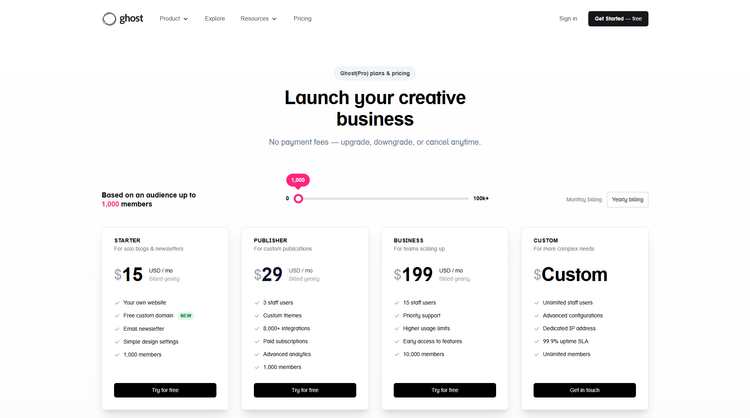
- or managed with Ghost(Pro)
For newsletter businesses, Ghost can actually become cheaper because many features are built in.
Which Platform Should You Choose?
Choose Ghost If You Want:
- a fast publishing platform
- newsletters
- memberships
- a clean writing experience
- less maintenance
- better default performance
Ghost is perfect for:
- bloggers
- publishers
- creators
- newsletter businesses
- modern magazines
Choose WordPress If You Want:
- maximum flexibility
- ecommerce
- advanced custom features
- massive plugin support
- complex business websites
WordPress is perfect for:
- agencies
- SaaS websites
- ecommerce stores
- enterprise projects
- highly customized platforms
My Recommendation for Creators in 2026
If your business is mainly:
- content
- publishing
- newsletters
- memberships
Ghost is one of the best platforms available today.
If your website needs:
- advanced integrations
- ecommerce
- unlimited customization
WordPress remains the king of flexibility.
Interestingly, many businesses now combine both:
- WordPress for the main company site
- Ghost for the publication/newsletter side
Explore Modern Ghost Themes
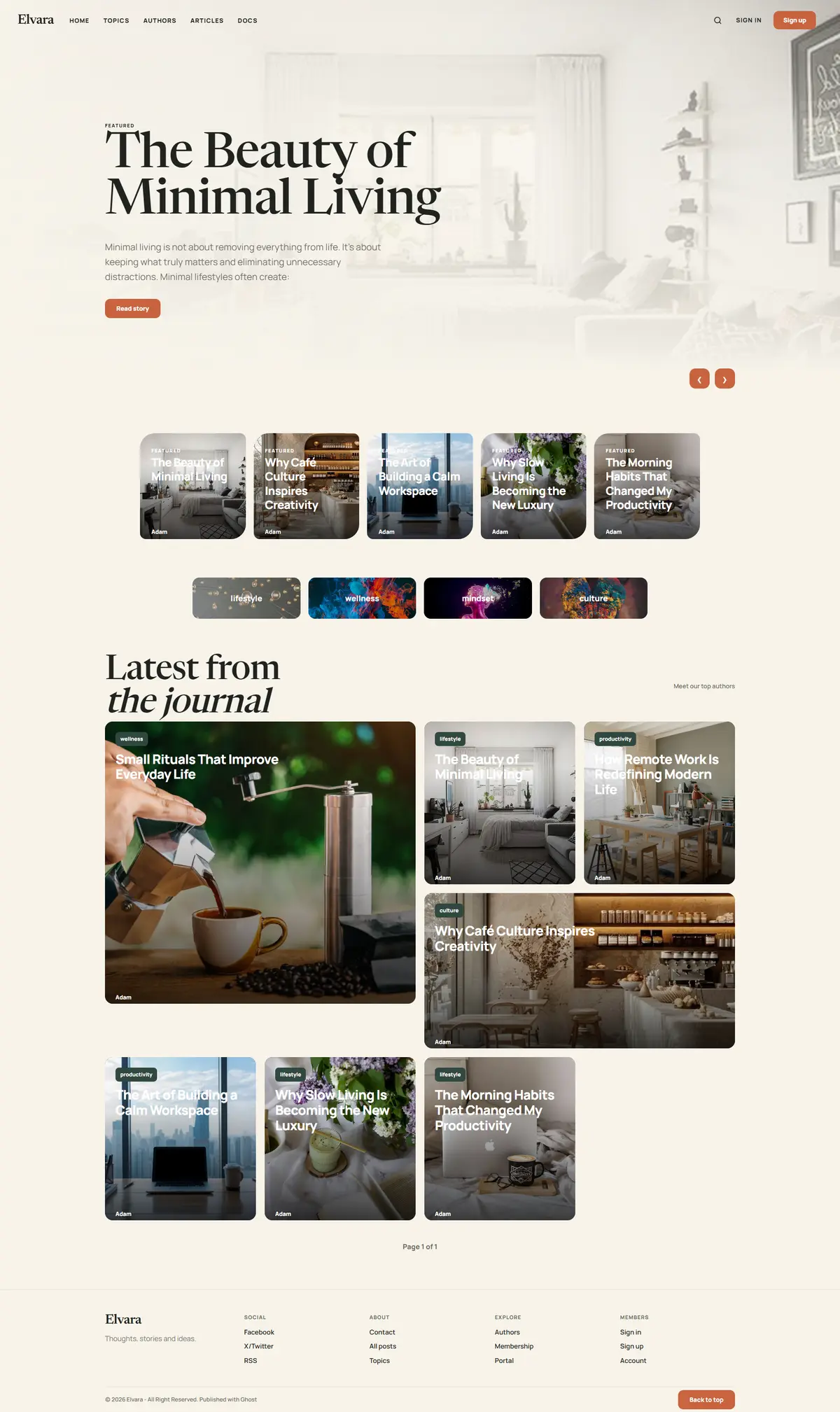
Looking for a modern Ghost theme for your next project?
Explore premium Ghost themes designed for:
- speed
- SEO
- memberships
- magazines
- creators
- portfolios
👉 Visit https://ghostheme.com/